
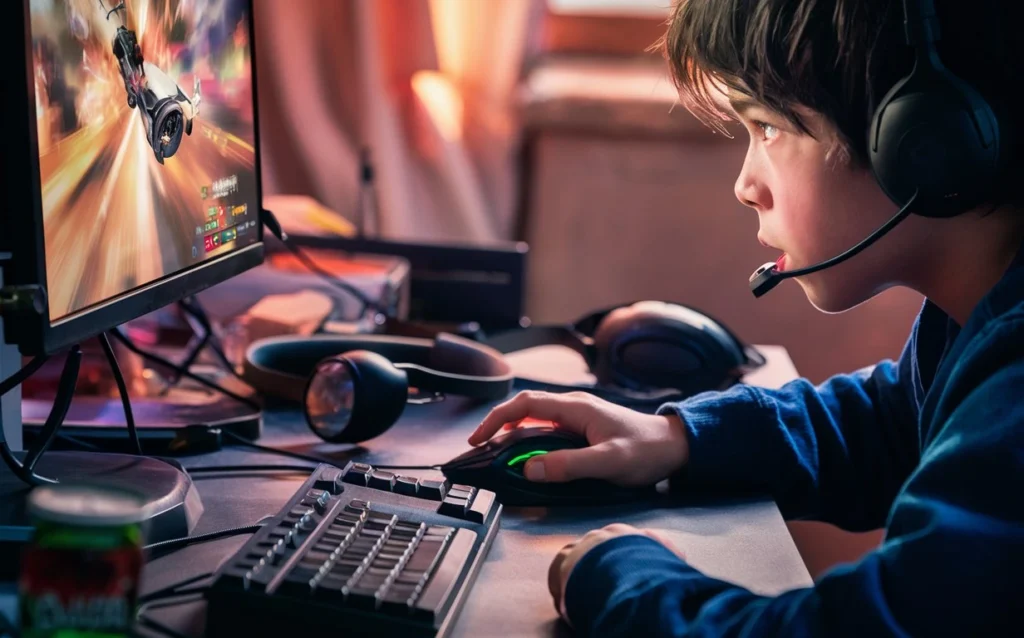
Want to know how fast you can click? The CPS Test (Clicks Per Second Test) is a free online tool that measures your mouse clicking speed in real time. Whether you’re a gamer training for PvP battles, a Minecraft player sharpening your reflexes, or someone who just wants a fun challenge, this test gives you instant, accurate results. No signup needed. No downloads. Just click and see your score.
What is a CPS Test?
A CPS test measures how many times you can click your mouse within a set time period. The result is shown as your CPS score, Clicks Per Second, which is calculated by dividing your total clicks by the number of seconds you tested for.
For example, if you clicked 50 times in 10 seconds, your CPS score is 5.
This test is especially popular among gamers who play Minecraft, Counter-Strike, FPS games, and other competitive titles where fast clicking can give you a real advantage.
How to Use the CPS Test
Taking the test is straightforward:
- Choose your time duration (1, 5, 10, 30, or 60 seconds)
- Click the button or press the spacebar to start
- Click as fast as you can until the timer runs out
- Your CPS score, total clicks, and best CPS are displayed instantly
- Hit Reset to try again and beat your score
The test works on desktop, laptop, mobile, and tablet, no special setup required.
What is a Good CPS Score?
Not sure if your score is impressive? Here’s a quick breakdown of what different CPS ranges mean:
| CPS Score | Level | What it Means |
|---|---|---|
| 1 – 4 | Beginner | Just starting out, keep practicing |
| 5 – 8 | Average | Most casual users and gamers fall here |
| 9 – 12 | Good | You’re faster than the average player |
| 13 – 16 | Excellent | Advanced clicking techniques likely in use |
| 17+ | Elite | Near world-record territory |
A score between 5 and 8 CPS is considered average for regular users. Competitive gamers typically aim for 10+ CPS, and some advanced players using techniques like butterfly clicking or drag clicking can reach 20+ CPS.
Clicking Techniques How to Increase Your CPS
Your clicking speed depends a lot on the technique you use. Here are the most common methods:
Regular Clicking The standard way: one finger, one click at a time. Most beginners and casual users naturally click this way. Average CPS: 5–8.
Jitter Clicking: This involves tensing the muscles in your arm and hand to create rapid vibrations, causing faster clicks. It takes practice but can push your score above 12 CPS. Not recommended for extended sessions as it can strain your wrist.
Butterfly Clicking: Two fingers alternate on the same mouse button, effectively doubling your click rate. Average CPS with this technique: 15–25. Some games and servers flag this as against the rules, so check before competing.
Drag Clicking: You drag your finger across the mouse button to generate multiple clicks from a single swipe. This can produce extremely high CPS (25–100+) but depends heavily on your mouse and its surface texture.
| Technique | Avg CPS | Best For |
|---|---|---|
| Regular | 5–8 | Everyday use, beginners |
| Jitter | 10–14 | Minecraft PvP, FPS games |
| Butterfly | 15–25 | Competitive clicking |
| Drag | 25–100+ | Advanced tricks |
Why Does CPS Matter in Gaming?
Click speed plays a direct role in several popular game types:
Minecraft PvP: Faster clicking gives you more hits per second in melee combat. While Minecraft caps hit registration at around 2 CPS, higher clicking speed improves combo consistency and knockback control.
FPS Games: Rapid mouse clicks translate to faster shooting, quicker weapon swaps, and better reaction times during fast-paced gameplay.
RTS and MOBA Games: High CPS helps with faster unit commands, ability chaining, and building orders that can turn the tide in competitive matches.
Even outside of gaming, regular clicking practice can improve hand-eye coordination and fine motor control.
CPS World Records
The world records for clicking speed are genuinely jaw-dropping:
- Dylan Allred — 1,051 clicks in 10 seconds (~105 CPS)
- Tom Andre Seppola — 830 clicks in 30 seconds (~27 CPS sustained)
These records were set using advanced techniques and specialized gaming equipment. Think you have what it takes? Start the test above and see how close you can get.
Tips to Improve Your CPS Score
1. Practice daily. Consistent short sessions (5–10 minutes a day) build muscle memory faster than occasional long sessions. Try our 10-second CPS test for quick daily practice.
2. Use a gaming mouse A quality gaming mouse with low actuation force switches and a high polling rate (1000 Hz) ensures every click registers accurately, so your score reflects your actual speed, not hardware lag.
3. Keep your hand relaxed. Tension slows you down. A relaxed grip allows faster, more natural clicks. If your hand cramps up, take a break.
4. Try different time durations. Short tests (1–5 seconds) measure your peak burst speed. Longer tests (30–60 seconds) reveal your sustained clicking endurance. Track both to get a full picture of your performance.
5. Warm up before testing A minute of slow, relaxed clicking helps warm up your hand muscles before attempting your best score.
FAQs
Q: What is a normal CPS score?
A: The average CPS for most users is between 5 and 8 clicks per second. Anything above 10 CPS is considered fast, and scores above 14 CPS are rare without advanced techniques.
Q: What is the world record for CPS?
A: The highest recorded score is around 1,051 clicks in 10 seconds, set by Dylan Allred — that works out to approximately 105 CPS.
Q: Is the CPS Test accurate?
A: Yes. The test uses precise browser-based timing to count every click event individually. The main variable is your own mouse hardware’s debounce time, which is negligible on modern gaming mice.
Q: Can I take the CPS Test on mobile?
A: Absolutely. The test is fully responsive and works on touchscreens. Tap speed on mobile tends to be slightly lower than mouse click speed due to screen sensitivity differences.
Q: Does higher CPS always help in games?
A: It depends on the game. In Minecraft PvP, higher CPS improves knockback control. In FPS games, faster clicks mean quicker shots. However, beyond a certain point, accuracy and timing matter more than raw speed.
Q: Is jitter clicking safe?
A: Jitter clicking puts strain on your wrist and forearm. It’s fine in short sessions, but extended use is not recommended. Take regular breaks and stop if you feel any discomfort.
Q: What time duration should I use for the CPS Test?
A: A 5 or 10-second test gives the most accurate measure of your consistent clicking speed. 1-second tests show your peak burst speed, while 60-second tests reveal your endurance.
CONCLUSION:
The CPS Test is more than a simple game; it’s a practical tool for gamers who want to track their clicking performance, practice advanced techniques, and push their limits. Whether you’re chasing a personal best or training for competitive play, this free click speed test has everything you need. Press that button, click fast, and see what you’re made of.