FPS explained for gamers and how to check yours
FPS means frames per second. It is the rate your game or video updates each second. In games, a higher and steadier frame rate usually means smoother motion and cleaner control.
A Trusted Reviews example says a 60fps video shows 60 frames each second, while a camera shooting 30 frames per second captures 30 images in one second. For context, Restream’s frame rate explainer says movies commonly use 24, television often uses 30, sports broadcasts often use 60, and most gamers aim for at least 60. This guide explains what that means in plain language, why it matters in games, how it differs from refresh rate, and the fastest way to check your current frame rate.
What FPS means and why it feels smoother
The basic definition
A frame is one still image. Your device draws those images one after another so quickly that your eyes read them as motion.
That is why frame rate changes how a game feels, not just how it looks. When more frames arrive in the same span of time, movement appears smoother and camera motion looks cleaner. Fast turns are easier to read, and aiming usually feels more direct.
A low frame rate breaks that illusion. Motion can look jerky, pans can feel rough, and quick changes on screen are harder to track. If you want to see how your browser is rendering right now, an online frame rate test gives you a live readout without installing anything.
Why stability matters more than spikes
A single high reading does not tell you much. Games feel good when the frame rate stays steady, not when it jumps up for a moment and then drops.
That is why stutter stands out so much. Even if the average looks fine, sudden dips can make movement feel uneven and input feel less consistent. Your eyes notice the change in pacing more than one brief peak.
Stable delivery also makes the whole system easier to judge. You can tell whether a setting change helped, whether a background task is getting in the way, and whether your performance problem is constant or only shows up in bursts.
Why gamers care about frame rate more than ever
The 60 FPS baseline
For many players, this is the point where a game starts to feel reliably smooth. Movement is easier to follow, camera pans look cleaner, and input usually feels more connected to what happens on screen.
That baseline matters because most games mix several kinds of motion at once. You are turning the camera, tracking targets, reading effects, and reacting to other players. When the frame rate sits around a smooth baseline, all of that is easier to process.
It also gives you a practical target when you change settings. Instead of chasing the highest possible result, you can aim for a level your system can hold during real play. That usually feels better than a higher reading that collapses during heavy scenes.
When higher frame rates help
Higher frame rates can help most in fast competitive games. Tracking targets, flicking between angles, and reading quick movement all get easier when the image updates more often and more evenly.
The gain depends on the rest of your setup. Your monitor has to refresh quickly enough to show those extra frames, and the game has to deliver them with good pacing. Our guide to frame rate and refresh rate explains how those parts work together.
This is also why some players feel a clear improvement while others do not. If your display, game settings, or system load become the limit, pushing harder may add noise without making play feel better.
How video, streaming, and broadcasts use frame rate
Common playback standards
Frame rate is not only a gaming term. It shapes how films, shows, streams, and live broadcasts look in motion.
Different types of video use different pacing because they are trying to achieve different results. A film often aims for a cinematic feel, television tends to look more direct, and live coverage usually tries to keep motion easy to follow.
This table shows how common video types differ in motion style and purpose.
| Format | Typical look | Best suited for | Why it works |
|---|---|---|---|
| Movies | Cinematic and softer in motion | Drama, scripted scenes, slower camera movement | It supports a film-like presentation |
| Television | More immediate and slightly smoother | General viewing, studio content, regular programming | It balances smoothness with a familiar broadcast look |
| Sports broadcasts | Crisp during fast action | Ball movement, quick pans, rapid play | It makes fast motion easier to track |
Why fast motion needs more frames
Fast motion exposes weak frame pacing very quickly. A slow scene can hide it, but a quick camera pan or a moving player makes every gap more obvious.
That is why sports coverage usually looks smoother than a film scene during rapid movement. Games work the same way. The faster the action, the more important clean, steady updates become.
How to check your frame rate without guessing
Use a live FPS test
The fastest way to check your current performance is a live test that renders motion in your browser and reports what happens as it runs. That gives you an immediate view of how smoothly your system is drawing frames right now.
A good test is useful because it shows more than one moment. You can start it, let it run, and watch whether the reading holds steady or starts to bounce. That tells you more than a single screenshot or a brief glance at an overlay.
If you want a quick readout, use this live FPS test tool and watch the values update in real time. Run it once with your normal setup, then again after closing heavy tabs or background apps.
Read min, max, and average values
The current reading tells you what is happening now. The average shows the overall level during the test. The minimum helps you spot the dips that usually cause stutter, while the maximum shows your short peaks.
Those values matter together. A high peak can look impressive, but it does not mean the experience was smooth. A decent average can also hide brief drops that you definitely feel while playing.
Look for a pattern, not a headline number. If the current value swings hard, or the minimum falls far below the rest, the issue is usually stability rather than raw speed.
What to do when your frame rate feels uneven
Look for drops and stutter
When a game feels uneven, start by checking whether the frame rate is dropping in bursts. That usually feels worse than a lower result that stays consistent.
Stutter often comes from timing problems, not just lack of power. Background apps, shader compilation, streaming tools, browser tabs, power settings, or heat can all interrupt steady frame delivery. The image may still report a decent average while feeling rough in motion.
It also helps to notice when the problem happens. If the game feels bad only in heavy scenes, the issue may be graphics load. If it feels bad everywhere, look at wider system behaviour.
Test your setup before changing settings
Do not start lowering random settings without a baseline. Test first, then change one thing at a time so you can tell what actually helped.
Check the display side as well as the game side. A mismatch between what the game renders and what the monitor shows can make motion feel worse than the raw result suggests. This monitor refresh rate guide helps you confirm that part of the setup.
Once you know what the system is doing, tuning gets easier. You can decide whether to reduce visual load, cap the frame rate, close background tasks, or adjust sync settings.
Check your setup and keep it smooth
Confirm your monitor’s refresh rate
Your monitor can only show frames as fast as it refreshes. If the display side is not set correctly, smooth game performance can still feel off.
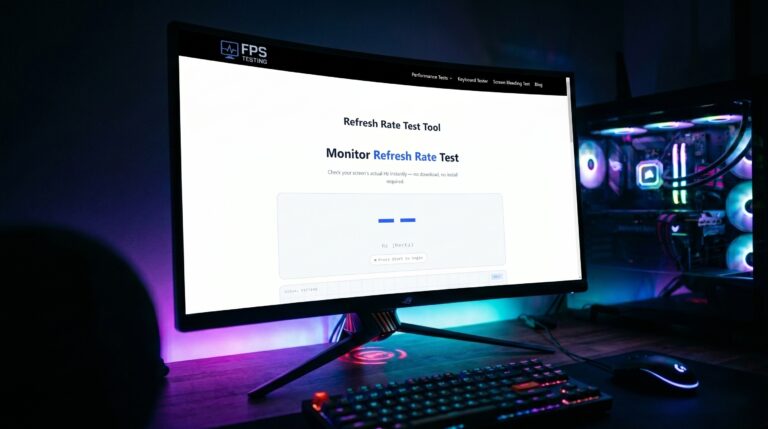
That is why it helps to verify the panel before you judge the rest of the system. Use a refresh rate test tool to confirm what the browser and display are actually reporting. Then compare that with what your games are trying to render.
Use related tools to test the rest of your setup
A smooth setup comes from several parts working together. Frame rate, refresh rate, sync behavior, and system load all affect how motion feels.
Keep the process simple. Check live performance, confirm the display, then make small changes and test again. That method is faster than guessing and far more reliable.
Try the free FPS test on fpstesting.com to see your live frame rate, average, minimum, and maximum in real time.
Frequently asked questions
How do I check my FPS?
Use a live frame rate test or a game overlay to check your FPS while something is actually rendering. The most useful reading is not just the current value, but the pattern over time, especially your average, minimum, and whether the number stays steady or drops in bursts.
What is FPS?
FPS means frames per second, or how many images your device shows each second. Each frame is a single still image, and smoother motion usually comes from showing those images more often and with steadier timing.
Why does my game look choppy even when the FPS is high?
A game can look choppy at high FPS if frame pacing is uneven or your display setup is out of sync. Brief drops, poor sync settings, background tasks, shader compilation, or a mismatch with your monitor’s refresh rate can all make motion feel rough even when the average looks strong.
Does a higher frame rate always make games feel smoother?
No, a higher frame rate does not always make games feel smoother. It helps most when the extra frames are stable and your monitor can actually show them, but poor frame pacing, sync issues, or inconsistent performance can still make a high reading feel uneven.